Submittals
Submittals are formal documentation packages generated from your project data. Siter can produce submittal forms that comply with DCMA, NATO, and DESR standards, pre-populated with your project's facility data, explosive quantities, and analysis results.
Prerequisites
- You must have an open project with features, explosive data, and analysis results
- You must have the Project Edit Permission or higher
Supported standards
Siter generates submittal forms for the following standards. PES forms describe a Potential Explosion Site; ES forms describe an Exposed Site.
| Standard | Form types |
|---|---|
| DCMA (DoD Manual 4145.26) | PES form, ES form |
| DESR (6055.09, Change 1) | PES form, ES form |
| NATO (AASTP-1 EdC v1) | PES form, ES form |
NATO and DCMA/DESR forms are at parity as of v0.19: the same engine version, governing-criteria-per-pair, full facility descriptions, IBD 110% inclusion zones, and reverse-analysis MCE/PAR placeholders are emitted on every standard.
How to generate a submittal for a single feature
-
Select a feature to open its dashboard
-
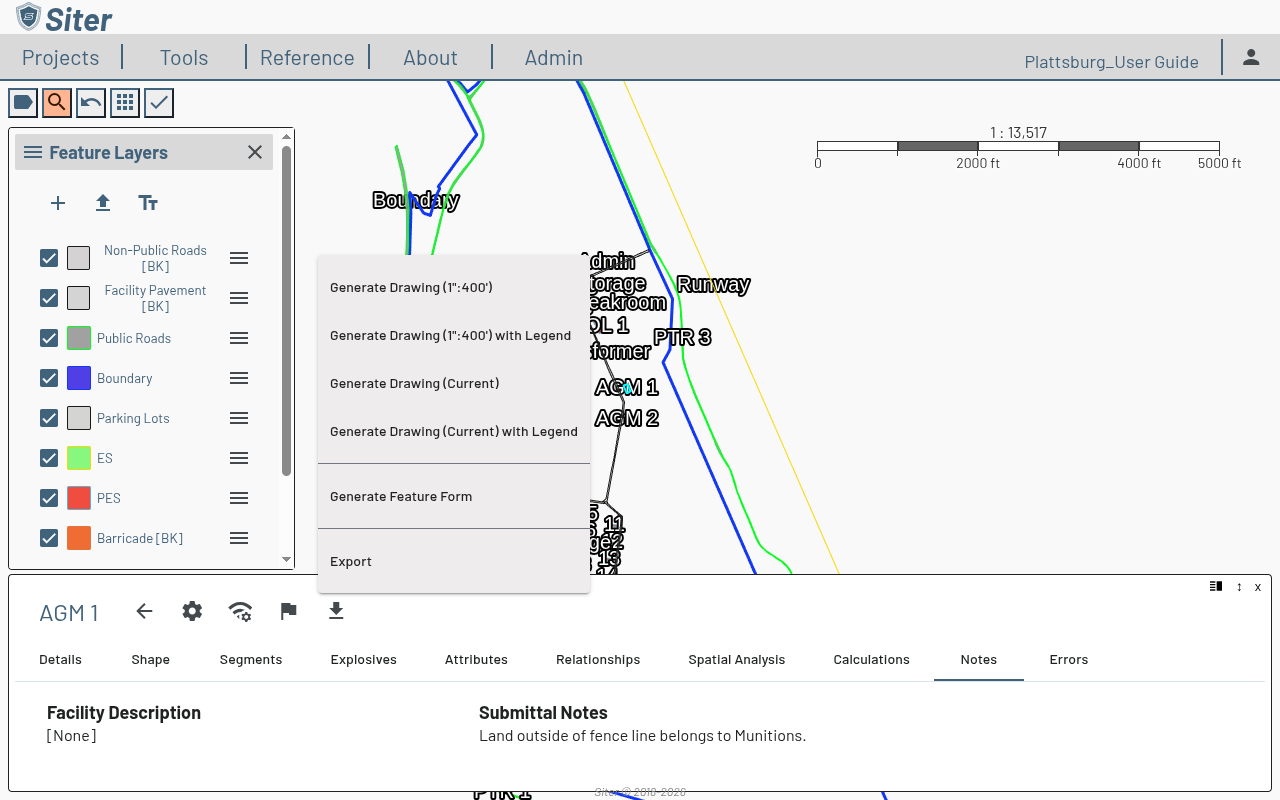
Click the download icon in the feature dashboard header
-
Choose Generate Feature Form from the menu
-
The form opens in a new browser tab with Facility and Criteria selectors
-
Choose the Criteria (the standard the project uses — DCMA, DESR, or NATO). The form renders, pre-populated with the feature's data — General Information, Data on Facility to be Sited (the PES side), and PES/ES Paired Relationships (the ES side)
-
Click Print Form to print the form or save it as a PDF
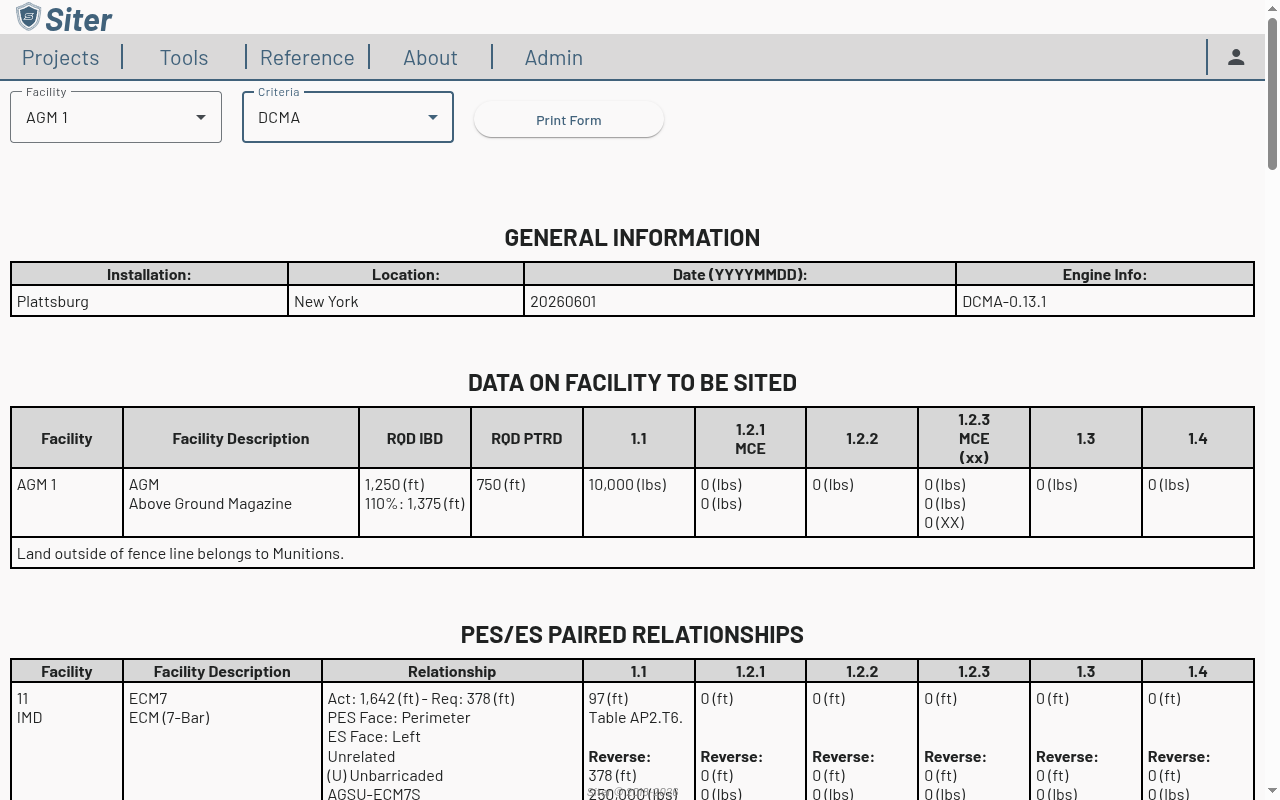
The single-feature form combines the PES and ES views in one document rather than producing separate PES and ES files. The Engine Info cell in General Information records the criteria engine version used (e.g., DCMA-0.13.1).
How to generate forms for other features
Once the submittal form tab is open, use the Facility selector at the top to switch to any other facility in the project and render its form — you do not need to return to the map for each one.
Barricaded status on submittal forms
DCMA, DESR, and NATO forms display a per-pair (B) Barricaded or (U) Unbarricaded indicator directly under the related code in the Relationship column. The status comes from the criteria-null B FeatureRelationship row on the sited feature. To mark a pair as barricaded, add a B row on the Relationships tab of the PES feature. Pairs with no explicit setting render as Unbarricaded.
Submittal Notes entered on a feature's Notes tab appear on the generated submittal forms. Add relevant context there before generating submittals.
Related topics
- Running an analysis — analysis results feed into submittal forms
- Feature explosives data — explosive quantities appear on submittals
- Feature notes — submittal notes are included in generated forms
- Drawings — drawings can accompany submittal packages