My Dashboard
My Dashboard is your personal page in Siter. Use it to keep your name, email address, and organization up to date, and to set the preferences that control how Siter behaves for you.
Prerequisites
- You must be signed in to Siter
How to open My Dashboard
-
Click the account button at the right end of the top navigation bar — its tooltip reads You are logged in as followed by your user name
-
Select Dashboard
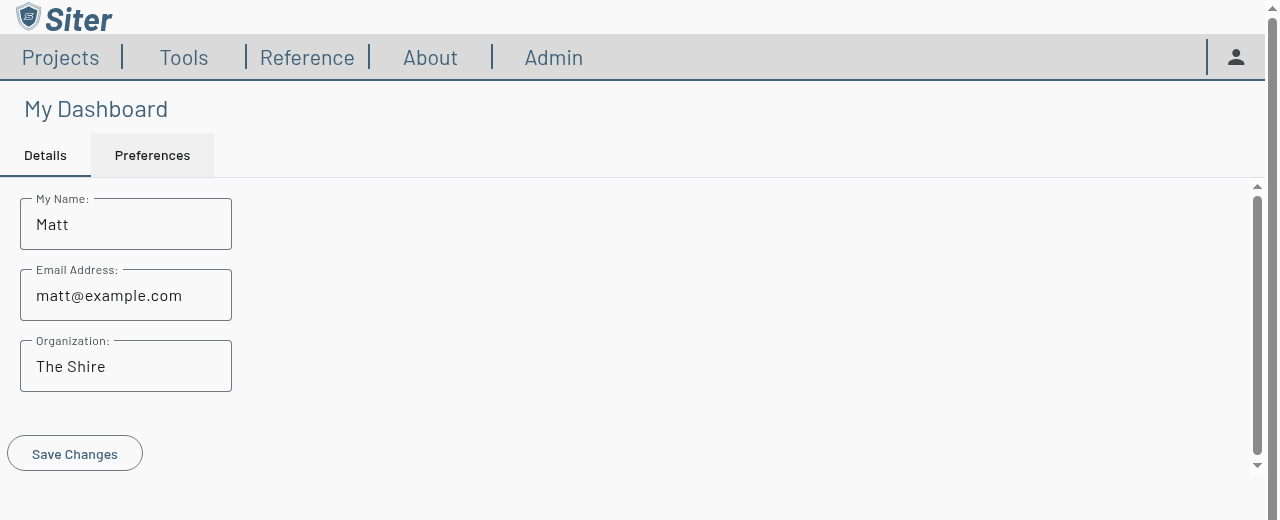
My Dashboard has two tabs:
- Details — your account details (see below)
- Preferences — your personal settings for landing page, map behavior, and new-project defaults (see Preferences)
To have Siter open My Dashboard every time you sign in, set Landing Page to My Dashboard on the Preferences tab.
How to update your details
- Open My Dashboard — the Details tab opens first
- Edit any of the fields:
- My Name — your display name
- Email Address — your contact email
- Organization — the organization you belong to
- Click Save Changes
Siter confirms with User account updated.
Where did My Projects and Project Requests go?
Earlier releases had My Projects and Project Requests tabs on this page. Both are now handled on the Project Management page — click Projects in the top navigation bar:
- Your projects are listed, grouped, and opened there
- Enter a share code with the Request access to a project (key icon) button, and review requests for projects you administer with the Access requests (inbox icon) button
Related topics
- Preferences — landing page, working units, snap tolerance, and new-project defaults
- Project Management page — your projects, share codes, and access requests
- Sharing projects — share codes, access requests, and project roles