Result Sets and drawings
Result Sets save a snapshot of an analysis run so you can compare configurations side-by-side, archive an evaluation at a point in time, or export a presentation-ready drawing. Drawings are the printable visual output of a Result Set — the map view with the chosen symbols, arcs, legend, and labels rendered for export.
Prerequisites
- You must have an open project with features and analysis results
- You must have the Project Edit Permission or higher
How to view saved Result Sets
-
Click the menu icon in the left sidebar header to open the sidebar chooser
-
Select Result Sets
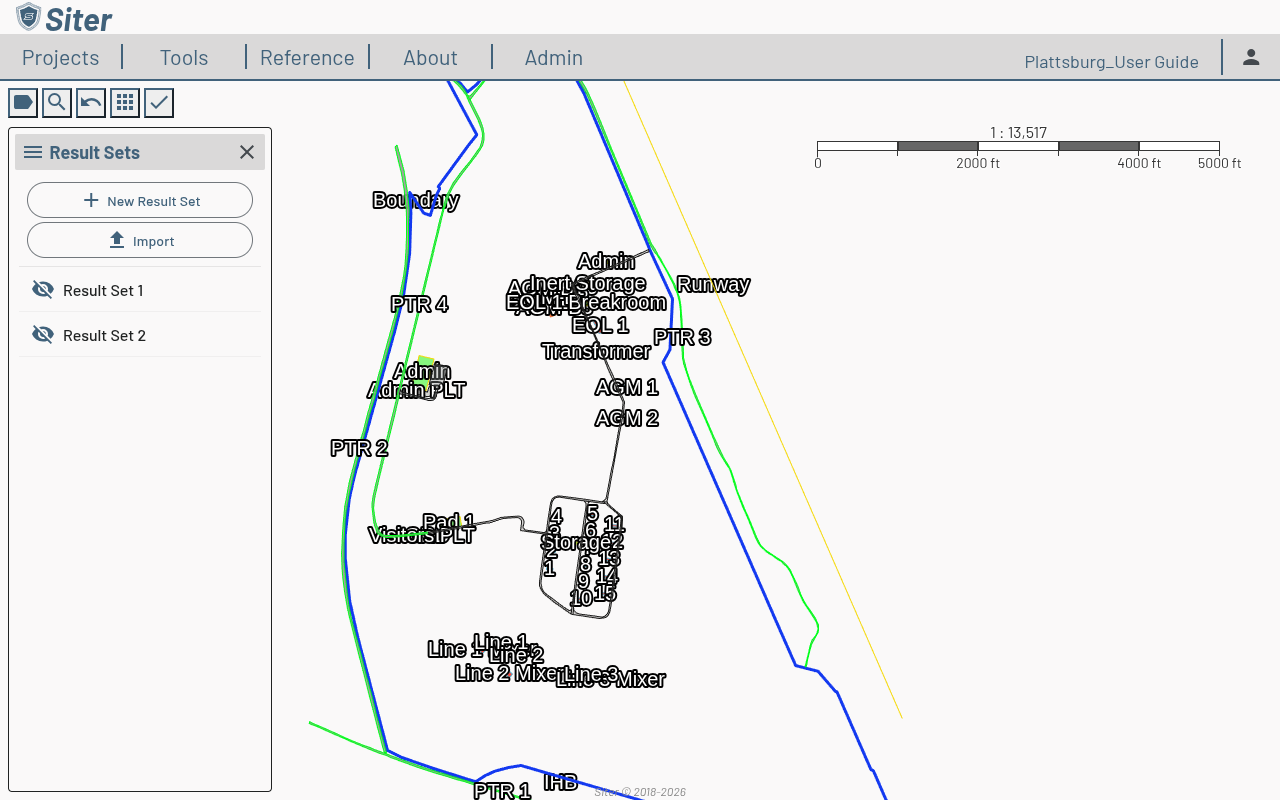
The sidebar lists every saved Result Set with an eye toggle. Toggling a Result Set on overlays its arcs and analysis results on the map.
How to save a new Result Set
- Open the Result Sets sidebar
- Click New Result Set
- Name the Result Set and confirm
Siter snapshots the current analysis results, including arcs, calculations, and applied symbology. Subsequent edits to features will not change the saved Result Set.
How to import a Result Set
- Open the Result Sets sidebar
- Click Import
- Select a previously exported Result Set file
How to export a drawing
The drawing output is generated from a Result Set with the active map view and symbology.
- Open the Analysis Results footbar (toolbar check > Analysis Results)
- Click the download icon in the panel header
- Choose drawing settings:
- Page size and orientation
- Whether to include the analysis legend (added in v0.19)
- Which layers and arcs to render
- Save the resulting drawing file
Toggle the visibility of Result Sets, layers, and analysis symbols on the map before exporting — what you see is what gets rendered into the drawing.
Related topics
- Running an analysis — generating analysis results to include in drawings
- Analysis symbology — customizing how analysis results appear
- Submittals — generating formal submittal packages